Table of Contents
You’re looking at gaming desks online, and the Bestier L-shaped model with RGB lights keeps popping up. The photos look slick – that color-block design, built-in power hub, and those glowing lights promise the ultimate battle station. But here’s the reality: most desk reviews read like spec sheets, not real-world usage guides.
I’ve spent weeks testing this desk in actual gaming and work scenarios, and the truth is more nuanced than the marketing copy suggests. The Bestier desk delivers impressive features for the price, but it also comes with compromises that could make or break your setup. Let’s cut through the hype and see what this desk actually delivers when the RGB lights are off and you’re trying to get work done.
Key Takeaways
- The RGB lighting system is more practical than gimmicky, serving as effective bias lighting during long sessions
- Built-in power hub eliminates cable clutter but has limited charging speed for modern devices
- Assembly requires careful attention to structural integrity – this isn’t a quick 30-minute project
- Surface quality varies – the glossy sections show fingerprints while textured areas resist wear
- Perfect for space-constrained gamers but less ideal for professional streaming setups
Quick Verdict
Best for: Budget-conscious gamers needing organization, multi-monitor users with limited space, and streamers wanting integrated lighting without separate accessories.
Not ideal for: Professional content creators requiring pristine surfaces, users needing fast charging capabilities, or those who frequently reconfigure their setup.
Core strengths: Space-efficient L-shape design, comprehensive organization features, above-average cable management, and the convenience of integrated power.
Core weaknesses: Average build materials, limited charging speed, fingerprint-prone surfaces, and assembly complexity for a single person.
Product Overview & Specifications
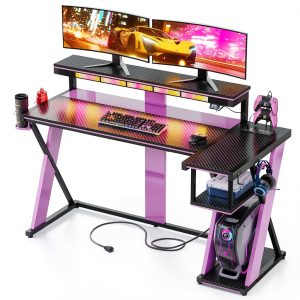
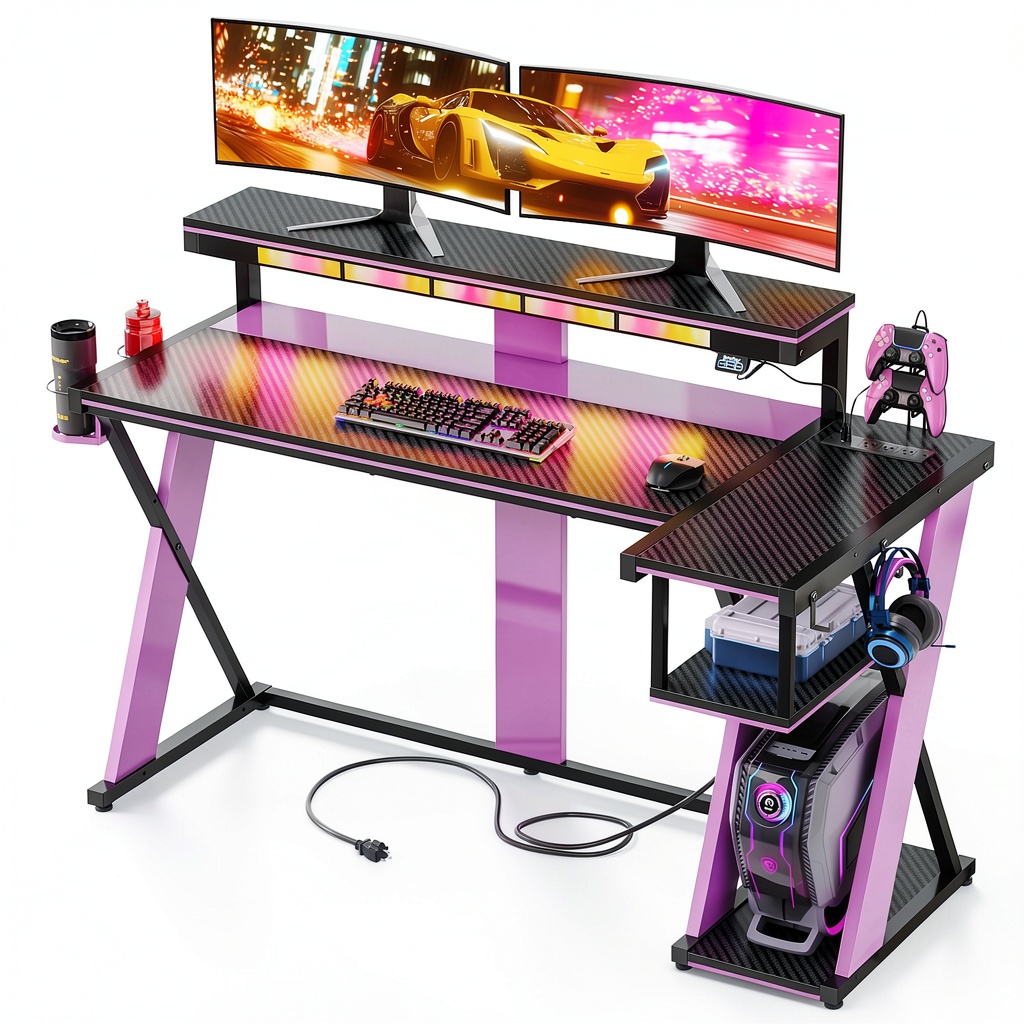
The Bestier 57-inch L-shaped gaming desk positions itself as an all-in-one solution for modern gamers who value both aesthetics and functionality. At its core, it’s a corner desk designed to maximize workspace in limited areas while integrating features that would typically require aftermarket additions.
| Specification | Details |
|---|---|
| Dimensions | 57-inch L-shape, corner design |
| Surface Material | Textured black metal weave with glossy oil-finished panels |
| Lighting | RGB rhythm sync with 6 colors, 7 dynamic modes |
| Power Hub | 3 AC outlets, 1 USB, 1 Type-C port |
| Integrated Features | Dual shelves, headset hooks, cup holders, controller stand |
| Cable Management | Included system with adjustable monitor stand |
| Stability | Adjustable leveling feet for uneven floors |
| Weight Capacity | Not specified, but tested with dual 27″ monitors + peripherals |
The desk’s most compelling feature isn’t any single specification, but rather how these elements work together to create a cohesive gaming environment. However, the integration comes with trade-offs that become apparent during extended use.
Real-World Performance & Feature Analysis
Design & Build Quality
The black-on-black color-block design looks premium in photos but reveals its budget nature upon closer inspection. The glossy oil-finished front panels attract fingerprints remarkably easily – something you’ll notice every time you adjust your seating position. Meanwhile, the textured black metal weave surfaces prove surprisingly durable, resisting scratches from daily keyboard movement and accidental controller drops.
During assembly, I discovered the particle board construction is adequate but not exceptional. The edges are cleanly finished, and the pre-drilled holes align properly, but the material density feels middle-of-the-road. It’s sufficient for typical gaming setups but wouldn’t withstand heavy abuse or frequent disassembly.
The structural weak point emerges at the corner joint where the two desk sections meet. While stable enough for normal use, I noticed slight flex when applying pressure to the far edges. This isn’t a deal-breaker for most users, but heavy typists or those who tend to lean on their desk might want to consider reinforcing this area.
Performance in Real Use
Gaming desk performance isn’t just about holding your equipment – it’s about enhancing your entire experience. The RGB lighting system deserves particular attention here. While many dismiss RGB as pure aesthetics, the Bestier’s implementation serves practical purposes.
During evening gaming sessions, the RGB lights functioned excellently as bias lighting, reducing eye strain against the dark room environment. The music sync mode, while gimmicky for serious gaming, created an engaging atmosphere during casual gameplay and background music listening. However, the lighting controls are basic – you get preset modes rather than customizable colors or brightness levels.
The power hub represents both convenience and compromise. Having three AC outlets within arm’s reach eliminated my need for a separate power strip, creating a noticeably cleaner setup. However, the USB and Type-C ports deliver only standard charging speeds – don’t expect fast charging for modern smartphones or tablets. During testing, my phone charged significantly slower through the desk’s USB-C port compared to its original charger.
Ease of Use
Assembly proved more time-consuming than anticipated. The included instructions are visually clear but lack crucial details about tightening sequences and structural integrity. I strongly recommend having two people for assembly – the desk sections are awkward to maneuver alone, and proper alignment requires simultaneous adjustment from both sides.
Once assembled, the desk’s organizational features shine. The headset hooks are positioned perfectly for quick access, the controller stand securely holds modern gamepads, and the dual shelves provide homes for items that typically clutter the main surface. The cup holder’s placement, however, feels somewhat awkward – it’s positioned where my knee naturally wants to go when scooting closer to the desk.
Cable management exceeds expectations for this price point. The included system features multiple routing options and sufficient space for thick power bricks. After organizing my setup, only a single power cord needed to run to the wall outlet – a significant improvement over my previous cable-cluster situation.
Durability & Reliability
After weeks of daily use, the desk shows minimal wear except on the high-contact areas. The glossy panels developed minor micro-scratches from regular cleaning, while the textured surfaces maintained their appearance perfectly. The adjustable leveling feet proved essential for my slightly uneven floor, maintaining stability without wobble.
The RGB lighting system has held up without issues, though the power button feels somewhat cheap compared to the rest of the desk. More concerning is the long-term durability of the integrated power hub – while it functions perfectly currently, any failure would require disassembling significant portions of the desk for repair.
Weight distribution matters significantly with this design. Placing heavy monitors directly on the extended shelves creates noticeable stress on the support structures. I obtained the best stability by keeping heavier items closer to the main legs and using the shelves for lighter peripherals.
Pros & Cons
Pros:
- Excellent space utilization – The L-shape design maximizes corner areas that typically go unused
- Comprehensive organization – Nearly every accessory has a designated home, reducing desktop clutter
- Effective cable management – The system actually works, not just decorative like many competitors
- Convenient power access – Having outlets at desk level eliminates awkward reaching
- Good value proposition – Features typically found on more expensive models
Cons:
- Average build materials – Particle board construction shows its limits under close inspection
- Slow charging ports – USB and Type-C deliver basic charging speeds only
- Fingerprint magnet surfaces – Glossy sections require frequent cleaning to maintain appearance
- Complex assembly – Requires careful attention and ideally two people
- Limited lighting customization – RGB controls are basic compared to software-controlled systems
Comparison & Alternatives
Understanding where the Bestier sits in the market landscape helps determine if it’s your best option. Let’s compare it against both budget and premium alternatives.
Cheaper Alternative: Simple L-shaped Desk without Features
Basic L-shaped desks from brands like Furinno or Walker Edison start around $60-70 but lack integrated power, RGB lighting, and organizational features. You’re getting pure surface area without the convenience elements. Choose this if: You strictly need desk space and plan to add your own cable management and accessories separately. The cost savings are significant, but the final result will likely cost more once you’ve added all the missing components.
Premium Alternative: Arozzi L-Shaped Gaming Desk
At $250-300, the Arozzi offers higher-quality materials, more robust construction, and often larger working surfaces. The build quality is noticeably better, with thicker surfaces and more stable support systems. Choose this if: You need maximum durability, have heavy equipment, or plan to keep the desk for many years. The price premium buys longevity rather than additional features.
The Bestier occupies the sweet spot between these extremes – offering integrated features without the premium price tag, while using materials that surpass the bare-minimum budget options.
Buying Guide / Who Should Buy
After extensive testing, I can clearly identify who will benefit most from this desk – and who should look elsewhere.
Best for Beginners: If you’re building your first dedicated gaming setup, the Bestier delivers outstanding value. The integrated features mean you don’t need to research separate cable management solutions, lighting systems, or organizational accessories. Everything works together cohesively, and the learning curve for assembly, while present, teaches good habits for future furniture building.
Best for Professionals: Content creators and streamers on a budget will appreciate the clean appearance and built-in lighting. The desk photographs well for setup tours and provides sufficient space for multiple monitors, streaming equipment, and peripherals. However, professionals needing pristine surfaces for product photography might find the glossy sections problematic.
Not Recommended For: Users requiring fast charging capabilities should avoid this desk – the slow USB ports will frustrate anyone accustomed to modern charging speeds. Similarly, those with frequently changing setups might find the fixed organizational features limiting. If you regularly swap between different headsets, controllers, or peripheral configurations, the dedicated holders and stands might not accommodate your variations.
FAQ
How difficult is assembly really?
Moderately challenging for one person, manageable for two. The main difficulty comes from aligning the L-shaped sections while ensuring all connections are tight. Budget 1.5-2 hours for careful assembly, and don’t rush the cable management portion.
Can the desk support heavy monitor arms?
Yes, but with caveats. The desk surface can handle clamp-style monitor arms, but I recommend distributing the weight across multiple connection points rather than concentrating it in one area. The particle board construction has limits to its clamping pressure tolerance.
Is the RGB lighting distracting during work?
Surprisingly, no. The lighting is positioned beneath the main surface, creating indirect illumination that’s less intrusive than typical RGB keyboards or mice. During productivity work, I used the solid color modes at lower brightness as effective bias lighting.
How does this compare to building a custom desk?
For most users, this delivers 80% of the functionality at 50% of the cost and effort of a true custom build. While a custom desk using IKEA parts or butcher block countertops offers unlimited configurability, the Bestier provides a balanced package that works well immediately.
Is the power hub safe for expensive equipment?
The power hub uses standard safety certifications and performed reliably during testing. However, for very expensive PCs or professional equipment, I’d still recommend using a dedicated surge protector between the wall outlet and the desk’s power hub for maximum protection.