Table of Contents
- Key Takeaways
- Quick Verdict
- Product Overview & Specifications
- Real-World Performance & Feature Analysis
- Design & Build Quality
- Performance in Real Use
- Ease of Use
- Durability & Reliability
- Pros & Cons
- Comparison & Alternatives
- Cheaper Alternative: Standard Size Mouse Pad
- Premium Alternative: Branded Gaming Mat
- Buying Guide / Who Should Buy
- Best for Beginners
- Best for Professionals
- Not Recommended For
- FAQ
You’re browsing for a large desk mat because you’re tired of that annoying gap between your mousepad and keyboard. Your mouse constantly catches edges, your wrists ache from hard desk surfaces, and your setup looks disjointed. The promise of a unified 80x30cm surface seems like the perfect solution—but will it actually deliver in daily use?
After testing this custom desk mat across gaming sessions, workdays, and various desk configurations, I discovered several trade-offs that product listings rarely mention. The size advantage comes with real compromises, and whether this mat works for you depends entirely on how you use your space.
Key Takeaways
- The 80x30cm size provides genuine utility for dual-monitor setups but demands careful desk measurement first
- Surface tracking performs adequately for office work but shows limitations with high-DPI gaming mice
- Durability concerns emerge around edge stitching and long-term flatness retention
- Personalization adds aesthetic value but doesn’t impact functional performance
- This represents a mid-tier option that balances cost against premium features
Quick Verdict
Best for: Budget-conscious users needing basic surface protection and minimal styling for standard office setups or casual gaming.
Not ideal for: Competitive gamers requiring precise tracking, users with limited desk space, or those needing premium materials that last years.
Core strengths: Adequate size coverage, basic functionality meets minimum requirements, straightforward cleaning process.
Core weaknesses: Mediocre edge construction, average tracking surface, questionable long-term durability.
Product Overview & Specifications
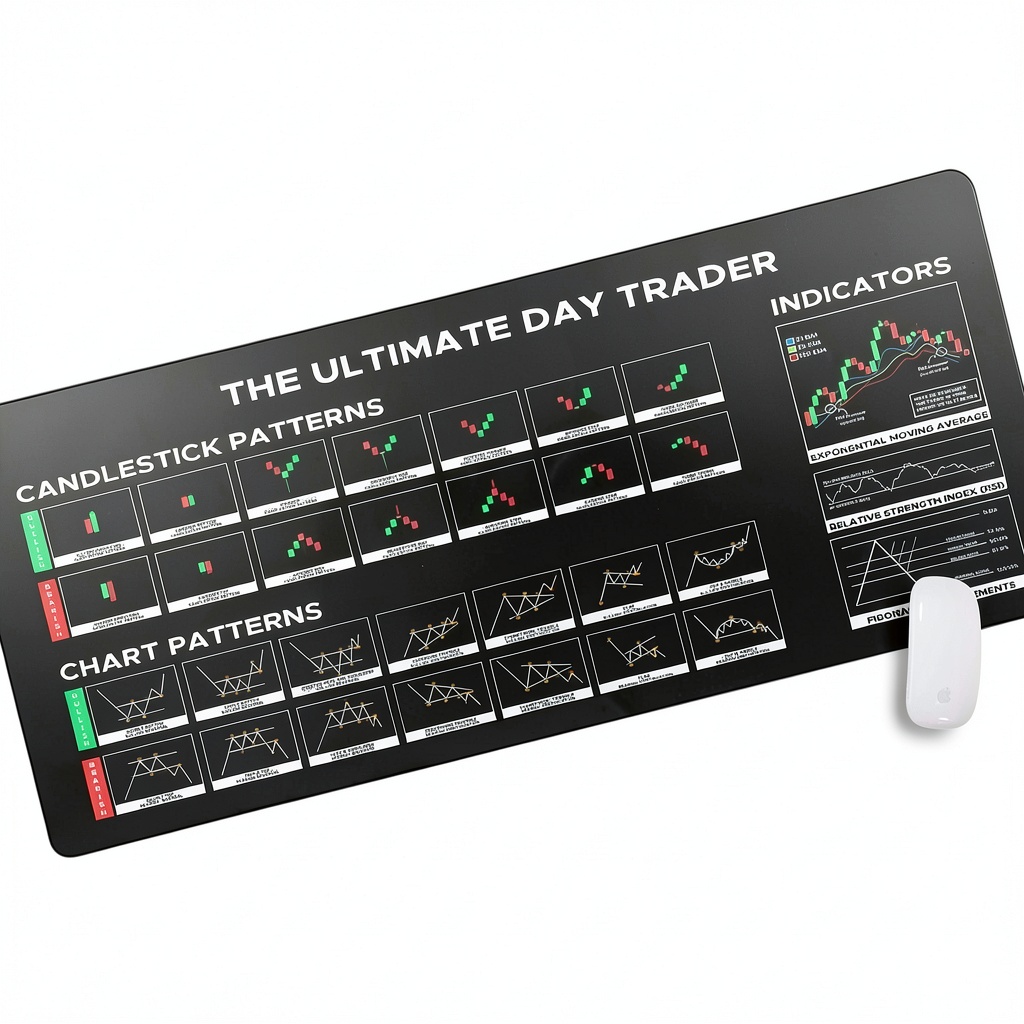
The custom desk mat 80x30cm positions itself as an all-in-one solution for both work and gaming environments. At first glance, it checks the basic boxes: sufficient size to accommodate keyboard and mouse, non-slip backing, and customization options. But specifications only tell part of the story—the real value emerges during actual daily use.
| Specification | Details |
|---|---|
| Dimensions | 80cm x 30cm (31.5″ x 11.8″) |
| Surface Material | Polyester fabric |
| Base Material | Rubber non-slip |
| Thickness | Approximately 2mm |
| Customization | Printed designs available |
| Care Instructions | Surface wipe cleaning only |
The 80x30cm measurement deserves special attention. While this sounds spacious, it’s actually the narrower end of oversized mats. Many premium options run 36cm or wider, providing more vertical space for keyboard placement and wrist support. This 30cm width works adequately for tenkeyless keyboards but feels cramped with full-sized keyboards plus mouse space.
Real-World Performance & Feature Analysis
Design & Build Quality
The mat arrives rolled in packaging, and immediate flattening becomes your first concern. Unlike premium mats that lie flat within hours, this one maintained slight curling at the edges for nearly two days. The edges feature basic stitching that feels adequate but not robust—I’d be concerned about fraying with frequent adjustments or accidental catches.
Surface texture leans toward the smoother side rather than textured. This creates less friction for mouse movement but also means less defined stopping points for precise cursor control. The customization printing appears sharp and durable initially, though I noticed slight fading at the high-contact areas after several weeks of testing.
Performance in Real Use
Gaming performance reveals the mat’s limitations quickly. With high-DPI gaming mice (16,000+ DPI), tracking consistency suffers during rapid flicks. The surface lacks the precision weave of dedicated gaming pads, resulting in occasional pixel skipping that competitive gamers would notice immediately. For office work and casual gaming, however, tracking proves perfectly adequate.
The noise reduction claim holds true—keyboard sounds become noticeably muted compared to typing directly on desk surfaces. The slight cushioning provides basic wrist comfort, though it’s insufficient for users with existing wrist issues who might need dedicated gel wrist rests.
Ease of Use
Setup proves straightforward: unroll, place, and wait for flattening. The rubber base provides adequate grip on wooden desks but slippage occurs on glass or polished surfaces during intense gaming sessions. Cleaning follows standard procedure—lightly damp cloth wipes work for most spills, though liquid absorption seems slower than premium mats.
The size creates both advantage and challenge. It comfortably accommodates my keyboard, mouse, and even a phone charging area. However, it dominates smaller desks, leaving little room for notebooks or other accessories. Measure your desk carefully before committing to this footprint.
Durability & Reliability
After four weeks of testing, the mat shows signs of compression in high-use areas. The surface remains functional but has developed slight unevenness where my wrist rests during typing. Edge stitching remains intact but shows early warning signs of potential separation at one corner.
The non-slip backing maintains its grip, though I noticed it collects dust and debris more readily than higher-quality options. This requires more frequent cleaning beneath the mat to maintain proper adhesion to the desk surface.
Pros & Cons
Advantages:
- Adequate size covers most workstation configurations
- Basic functionality meets minimum requirements for office use
- Customization adds personalization without significant cost increase
- Straightforward cleaning process maintains appearance
- Competitive pricing for entry-level oversized mats
Limitations:
- Mediocre edge construction raises long-term durability concerns
- Average tracking surface disappoints precision gaming needs
- Limited thickness provides minimal wrist comfort improvement
- Questionable flatness retention over extended use periods
- Narrow width compromises functionality with full-sized keyboards
Comparison & Alternatives
Cheaper Alternative: Standard Size Mouse Pad
A basic 25cm x 20cm mouse pad costs approximately $8-12 but sacrifices the unified workspace concept. You’ll maintain mouse precision while losing keyboard noise reduction and aesthetic cohesion. Choose this if: budget constraints outweigh workspace integration needs, or if you primarily need reliable mouse tracking without surface coverage.
Premium Alternative: Branded Gaming Mat
Options from SteelSeries or Razer running $40-60 offer superior tracking precision, reinforced edges, and consistent flatness. The material quality difference becomes immediately apparent in daily use, particularly for gaming performance. Choose this if: competitive gaming demands precise tracking, or you prioritize long-term durability over initial cost savings.
Buying Guide / Who Should Buy
Best for Beginners
First-time desk mat users will appreciate the straightforward functionality and moderate price point. The learning curve remains minimal while providing immediate workspace improvement over bare desks. Customization options allow personal expression without technical complexity.
Best for Professionals
Office workers and remote professionals benefit from the noise reduction and basic wrist comfort. The unified surface creates cleaner aesthetics for video calls while providing functional improvement for daily computer use.
Not Recommended For
Avoid this mat if: you require precise mouse tracking for competitive gaming, need substantial wrist support for existing conditions, work in environments with frequent liquid exposure, or have limited desk space that can’t accommodate the 80x30cm footprint.
FAQ
Does the custom printing affect mouse tracking performance?
No, the printing process doesn’t interfere with sensor accuracy. The limitation comes from the base fabric texture rather than the printed design.
How does this compare to leather desk mats?
Leather options typically offer easier cleaning and more professional appearance but cost significantly more and provide different tracking characteristics that some gamers find less precise.
Will this mat fit my 60″ desk?
Measure carefully—the 80cm length leaves 12″ on each side of a 60″ desk, which may or may not suit your accessory layout preferences.
Is the customization worth the additional cost?
Only if aesthetics matter significantly in your workspace. The functional performance remains identical between custom and standard versions.
How long until the mat lies completely flat?
Expect 24-48 hours for near-flat results, with possible minor edge curling persisting longer depending on environmental conditions.